Local stays local.
Existing workflows need no account or server. Projects and image references stay on your PC.
 VISUAL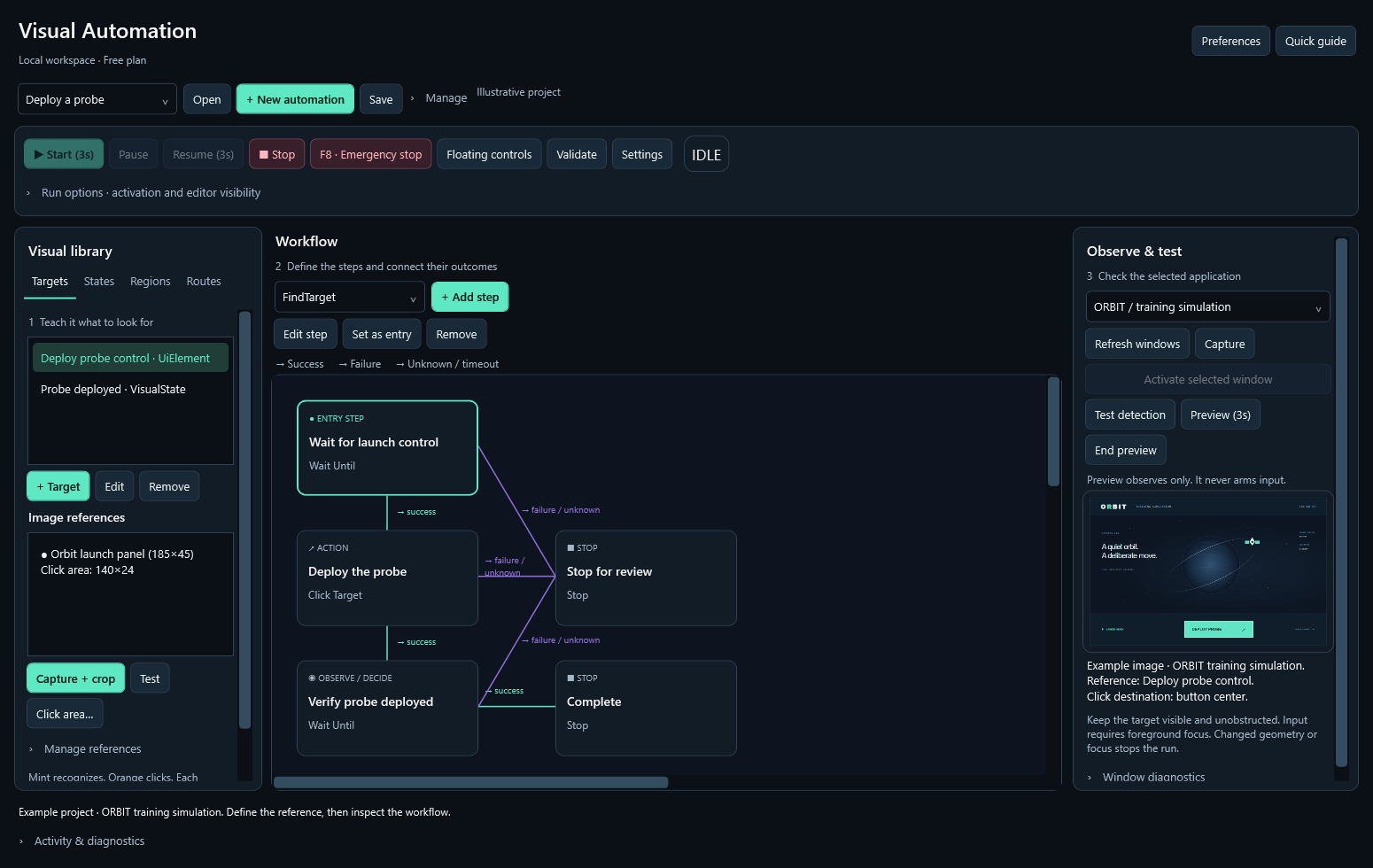
Turn what you see into what happens next.
Visual workflows for your Windows apps.
No code. No account. Your control.
A screen is fullof signals.Give them anext step.
Define the visible control you want to recognize. The reference and click area are configured separately.
 WAIT UNTIL / LAUNCH CONTROL
Mint recognizes. The configured click area defines where the action goes.
01 / 07Illustrative browser demo. The game and actions are simulated; this page does not capture your screen or control other apps. The workflow image is the actual application with example data.
The actual Windows application.
References, logic and controls you can inspect.
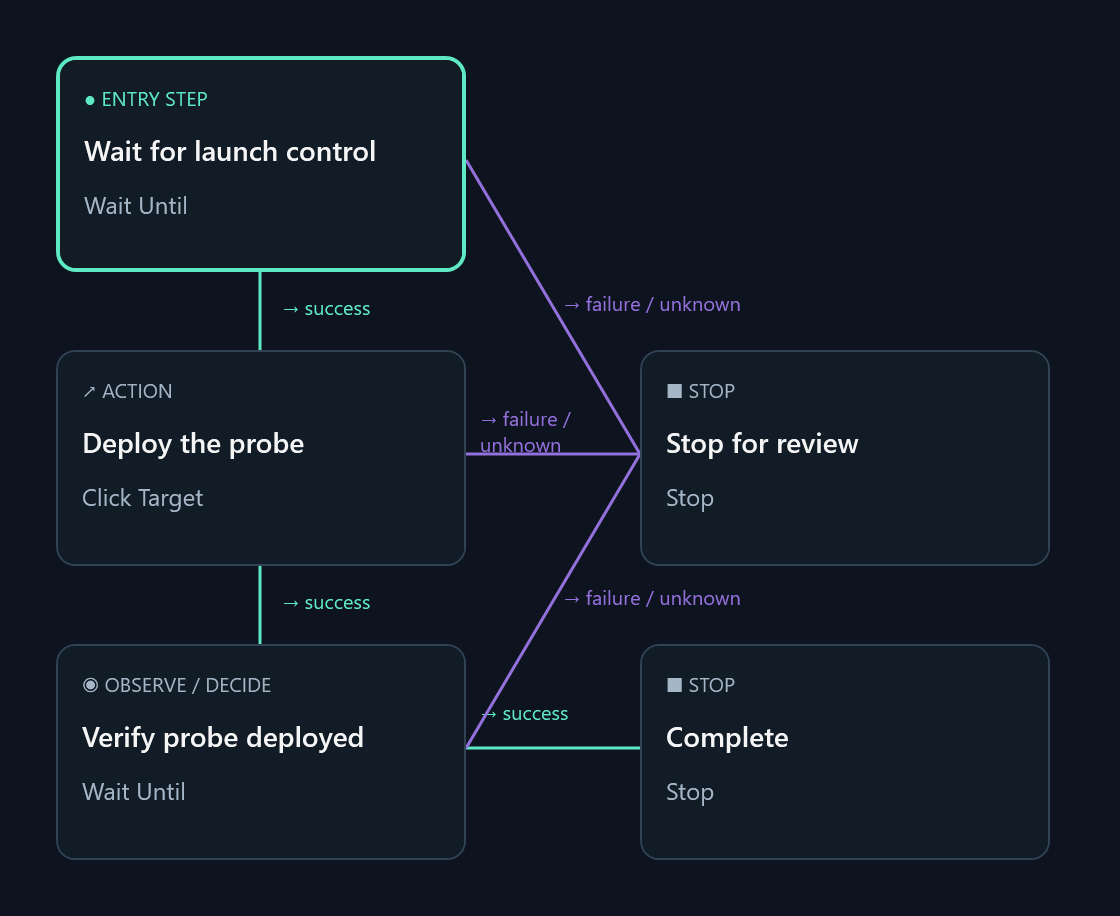
A connected workflow with success, failure and unknown outcomes.
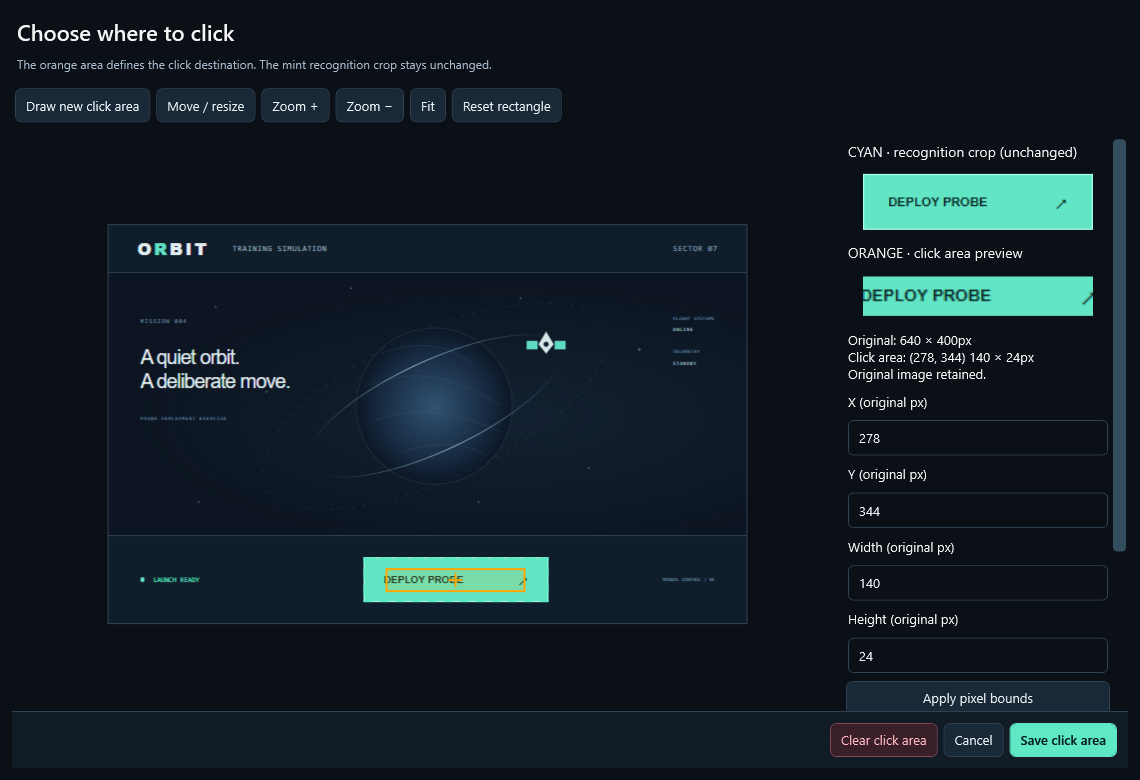
Define the recognition reference and the click area independently.
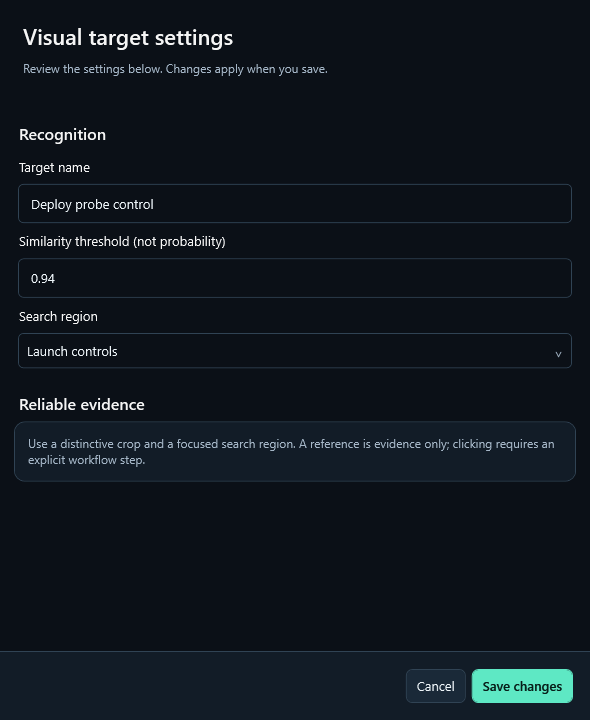
Set a similarity threshold and search region. Preview before running.
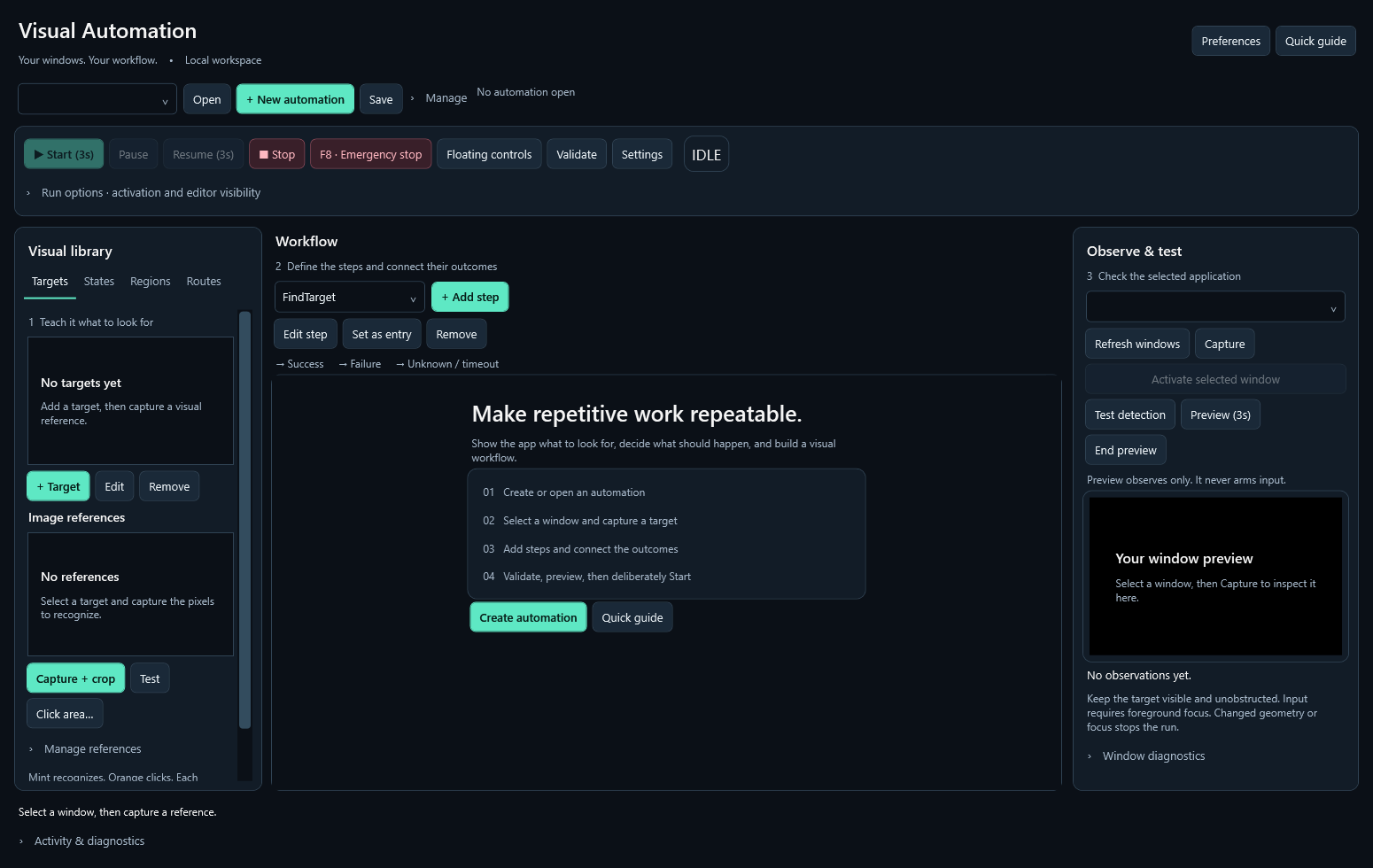
Create an automation and build up one visible step at a time.
Real editor controls, populated offline with an original training-game image. These are interface renders, not recordings of live automation.
Existing workflows need no account or server. Projects and image references stay on your PC.
Missing evidence is not permission to guess. Define a safe destination for unknown outcomes.
Work with a visible, focused application. Pause, stop or use F8 to release held input.
Start with the included practice app.
Recognize. Click once. Confirm. Stop.
Unsigned evaluation build. Manual updates.
Read the included terms and release notes.